NFC card activation
1. Register on the eVizitka.cc website
2. Create your first eVizitka
3. Go to the "NFC business card management" section
4. Tap the "Activate" button.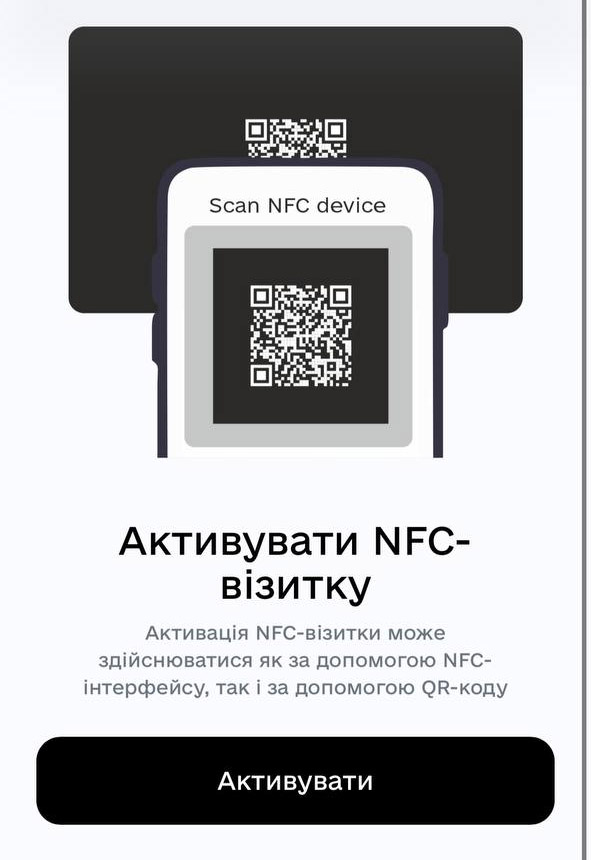
We recommend performing the activation using your phone.
Depending on your phone, the operating system may ask for permission to access the camera; tap "Yes" (or "Allow").
Once the camera is active, point it at the QR code on the back of the business card.
You will receive a notification upon successful card activation.
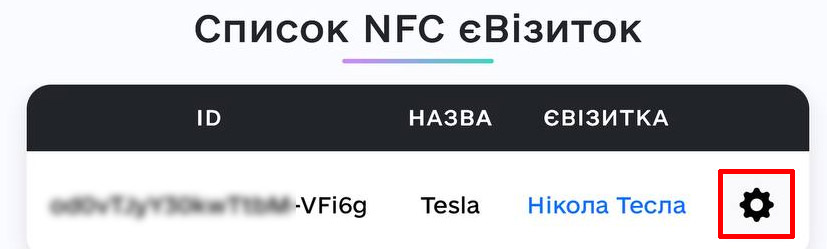
The activated card will appear in the "NFC card" list; tap the "gear" icon (settings) next to the card.
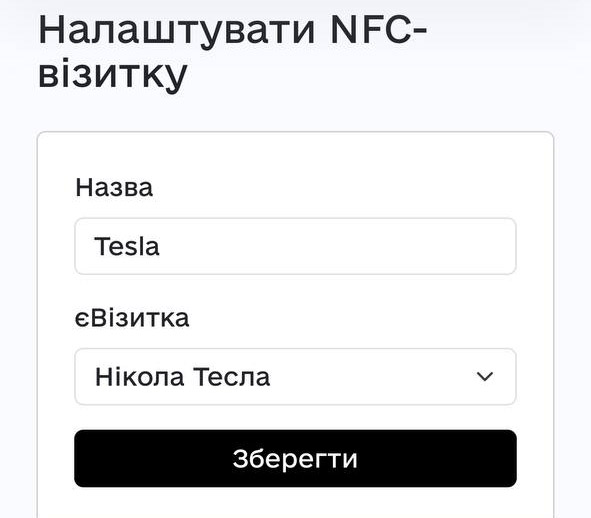
Fill in the following fields:
- Name (give the card any name)
- Select the e-Business Card to link to the physical card
- Tap "Save"